
Disclaimer: This post is me talking about a problem I had, and how I tried to fix it. This post is in no way a tutorial for web scrapping, or for any other methods or tools used. Although this may give you some ideas for what steps you may need to take if you have a similar issue. With all that said, let’s get started!
Have your ever been so frustrated with something, that you thought, Man, I wish I could automate that? Yeah me too buddy me too.
Before we start here’s my background.
I’m Saurabh, a 3rd B.Tech. under grad. student from Amity University and for last two years, the website, from where we Amitians primarily get our updates regarding classes and attendance details, has made my life miserable. Believe me when I say, it is no fun to spend extra time to visit a website 4 times a day just to check my class schedule or if I’ve been marked present by my teacher, when the website can get overwhelmed with the amount of traffic easily.
As you know by now, I’m an engineering student, and taking matters into our hands is a speciality for some of us. So last to last weekend, I decided to do something about it.
Getting started!
I decided that I’m going to scrape the website. At this point, I’m completely new to web scrapping, but my excitement for this project compensated for the lack of knowledge.
I started out by analyzing the website, and listing the necessary endpoints I may need to fetch data from and started reading articles related to web scrapping. I learnt about how to fetch data using requests module and about Beautiful Soup, which could be used to extract necessary things from fetched page.
The website needs us to login from our respective usernames, so I looked up about web scrapping for websites that require login, and read bunch of articles. I found out about session which is a sub module of requests, which could persist request parameters such as session cookies. These cookies could later be used while fetching data from the endpoints I listed before.
Hitting a roadblock
Till now logging in was the rockiest path in this project, because I didn’t know/expect that I would need anything other than username and password for logging in, which is where I went wrong. I was just making a post request to the login endpoint, with just the username and password as payload.
After some more reading, browsing the God sent stack overflow and inspecting elements of login page, I realized in addition to username and password, there were hidden parameters, and cookies that were provided by the login page, without which I couldn’t make a post request to the login endpoint successfully and it would just redirect me to login page again instead. I overcame this roadblock by first making a get request using session object to the login page, and then parsing the results using Beautiful Soup to extract hidden parameters, and then making a post request to the login endpoint with additional headers.
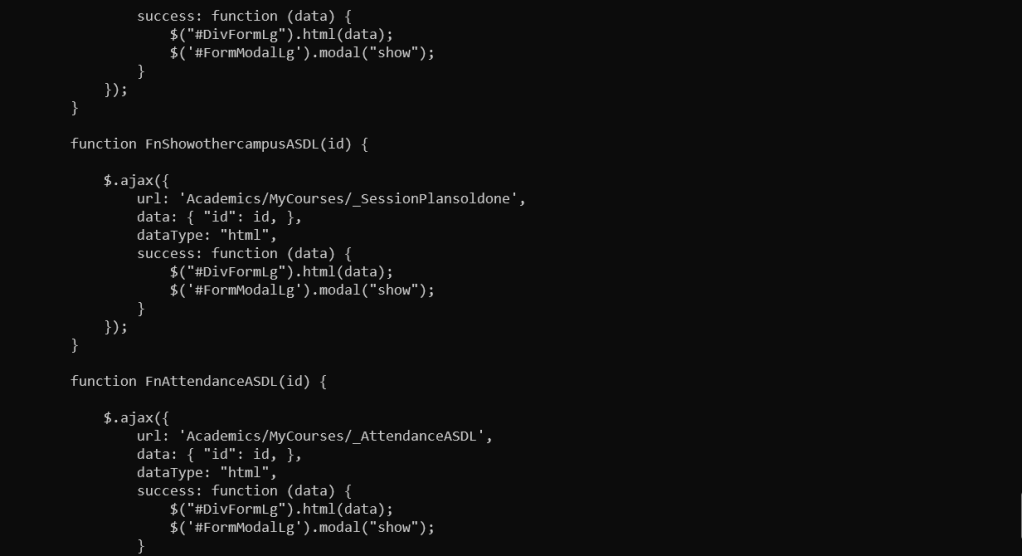
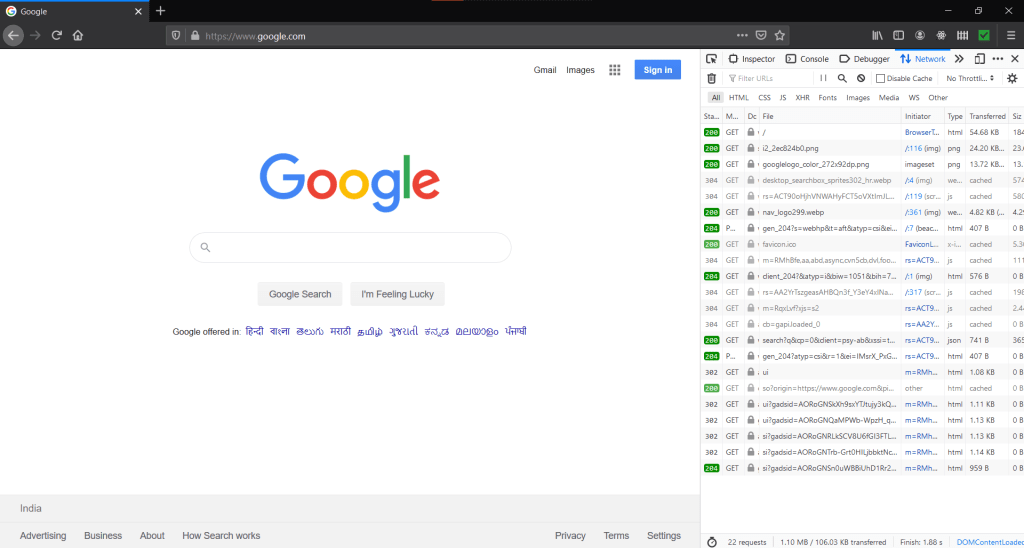
In this hefty process of debugging, messing up and then debugging again, the browser inbuilt Dev tools have been a huge help, which you may already know if you’re a web developer or someone who has done web scrapping before.
Making sense from the code
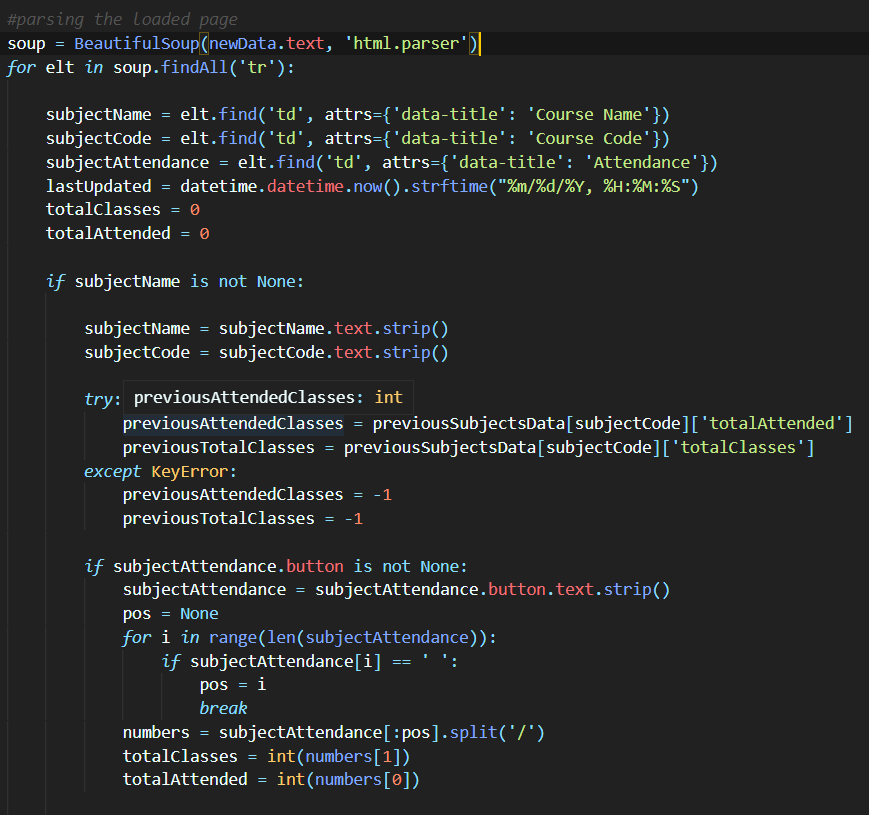
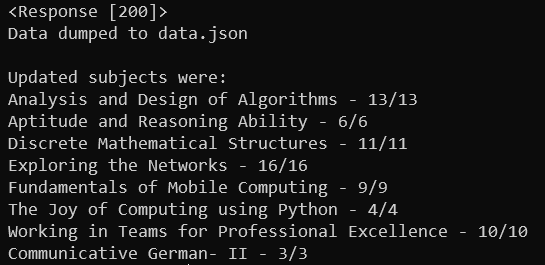
After overcoming my first roadblock, I looked into Beautiful Soup and the webpages I have to scrape more carefully. I looked how the page has been structured and the attributes of the HTML tags which had the data I’m going to scrape. This process of extracting data and making sense of it was relatively easy thanks to my previous experiences with web development.
Now what? 🤔
By the end of the weekend, I successfully made a python script that efficiently scrapped the data. I kept fiddling with the code in the upcoming week, added somethings, and deleted somethings. But we’re talking about automating all this stuff for me, and this is no where near automating. I wanted the data to be fetched for me periodically automatically, and then notify me when the data has been fetched. Later that week, it hit me I could use a telegram bot for all of that and that’s when I called my google assistant and asked…
Hey Google, How to make telegram bot using python?
Now carrying over the same excitement, I start looking for how can I create my own telegram bot. The answer came in the form of Flask, which is a micro web server written in, you guessed it Python and python-telegram bot module which as the name suggests makes communication with the Bot much easier. I created a Telegram Bot using Telegram’s BotFather bot which also provided me with an access token which I later used to contact the Bot.
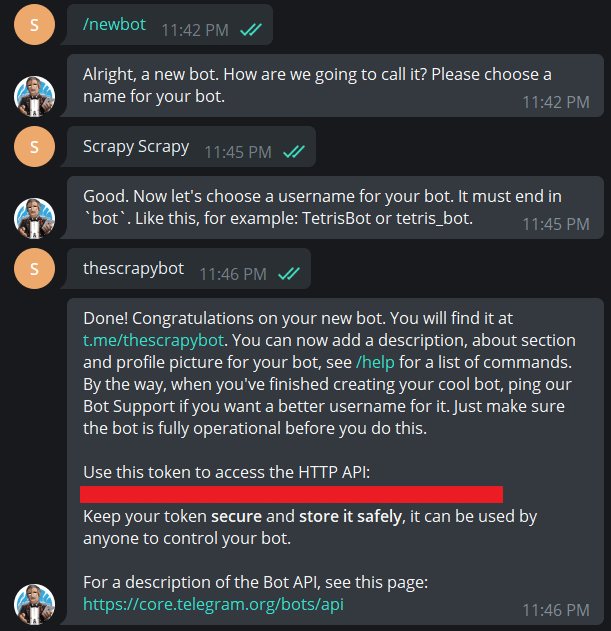
Learning and creating a web server with flask was relatively easy and took me no time to figure things out. I created two endpoints, one to respond to any messages that were sent to the Bot and was also set up as a web hook for the bot after deployment, so that Telegram could make requests to it and the second endpoint which could be called manually to send the data related to the classes and attendance. The second end point is also the one, which I used to automate my attendance. Once, all of this was done, I deployed the flask server on Heroku.
This process in itself looks simpler but got harder, because of the unexpected errors in the code which lead to many Internal Server Error (500), and then fixing them. This cycle repeated quite a few times and every time Heroku CLI came to the rescue. If you’re someone who has deployed on Heroku before, you know how helpful Heroku CLI could be. If you’re just a beginner do install Heroku CLI when you deploy on Heroku, just take my word for it for now.
You can read more about setting up web hooks for your Telegram bot and the Telegram API here.
Automating using EasyCron
Once I deployed it, set up the web hook for Telegram Bot and got everything to work, I used EasyCron to call the second endpoint we talked about before periodically, to automate the whole setup.

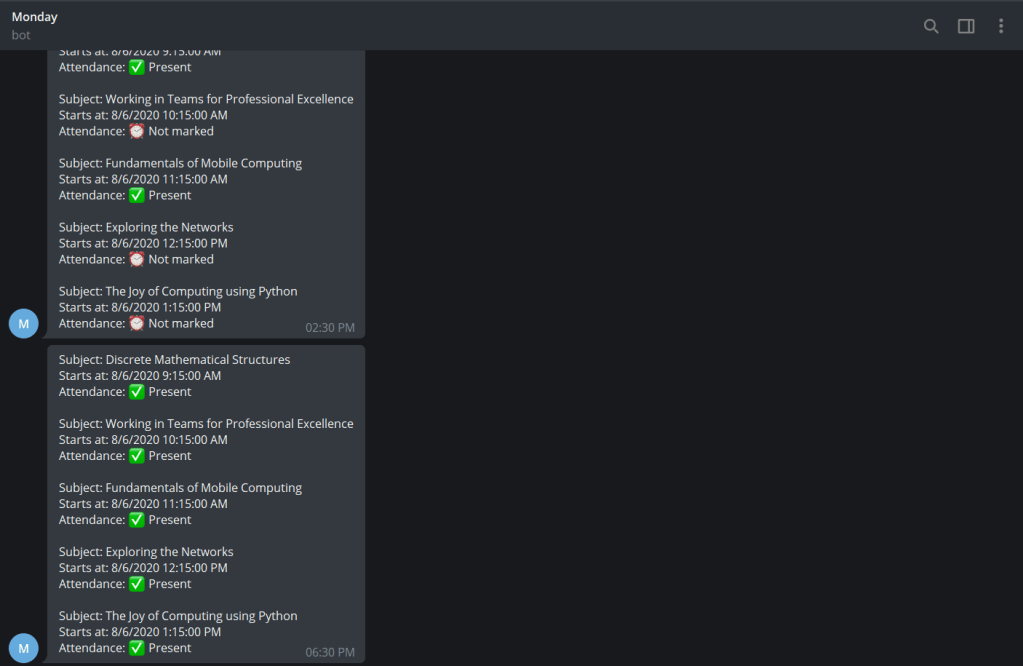
Yes, I call the bot ‘Monday’. It notifies me about my scheduled classes at 8 AM in the morning, and about my attendance at 2:30 PM, 6:30 PM and 11:30 PM. On Sundays, It gives me a notification about my overall attendance in al subjects.
Conclusion
Overall, this has been a really fun project for me, and I learned a lot of things about Web Scrapping, Flask, session cookies and authentication in general from this one. And I hope it gave you some motivation to create something fun too!
UPDATE – 08 Aug. 2020
Okay, so this update is on Easy Cron. Easy Cron provides 200 cron jobs with a runtime of 5 secs in their free tier, if a job takes more than 5 secs it timeouts the request and since it is a timeout it is considered as failed and upon 2 consecutive failures the job gets disabled automatically, after which you have to enable it again and this is particularly of no use, if you have to enable it again and again. I may as well just visit the website and see my attendance myself. So the solution for it you may ask? cron-job.org.
I stumbled upon cron-job.org while looking for an alternative to EasyCron. Cron-Job.org provides you with 30 seconds of timeout, which works out for me and is totally free. And till now, it has been working great for me. Huge thanks to people behind cron-job.org for this awesome service.


That was soo needed for Amitians!
Great job, Saurabh!🌸
LikeLiked by 1 person
Thank you Sakshi!🤗
LikeLike
Nice one mate! 🙂
Happy Coding.
LikeLiked by 1 person
Thanks Eshaan! 😁
LikeLike